Race Committee Help
This guide explains what each visible element does on the RC screen. This app works best on a tablet or laptop sized screen, but can work on a phone if you are desperate or have a simple race. On a tablet the layout changes whether it is in portrait or landscape (laptop gets the landscape version):
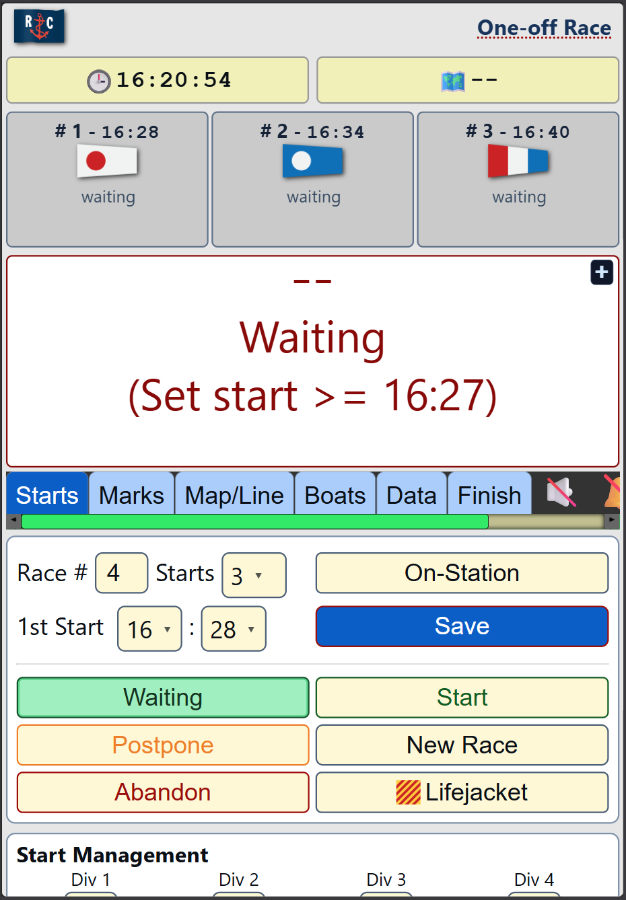
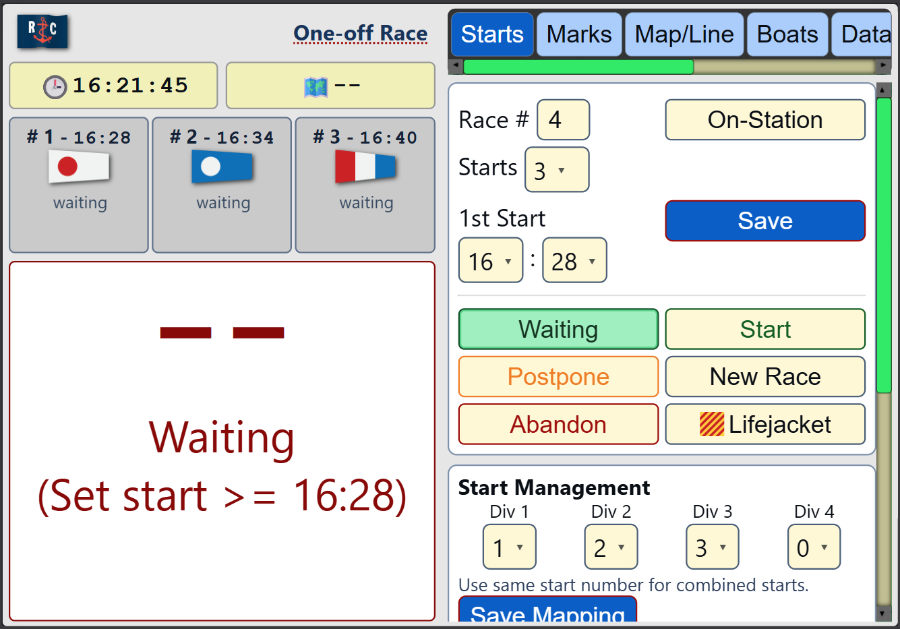
Top Header: Badges and Countdown
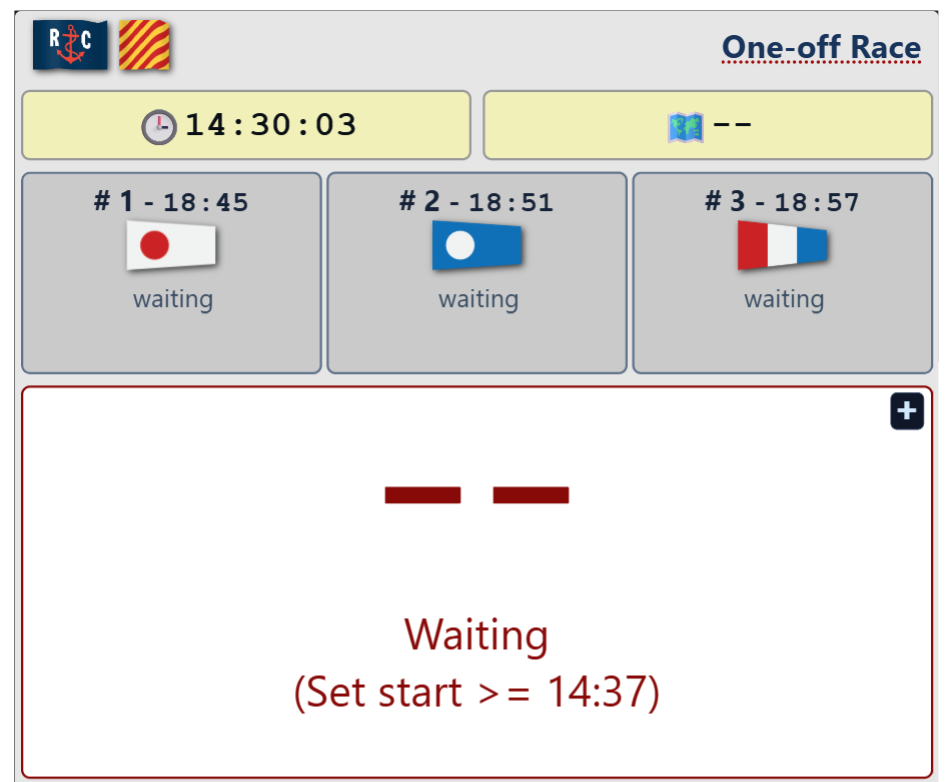
- Raised Flags — shows flags currently active by race state/timeline (for example RC, AP, class/prep flags, abandonment flags etc.)
- Series/Race Name — Set from imported series presets, or click to edit.
- Clock 🕒 — current server-synced time used by race countdown logic.
- Course 🗺️ — current course marks string (for example
1-5-1-5-0). - Start Badge(s) — status badge for each start (waiting/running/postponed/general-recall context) with 5-minute countdown and elaspsed time when appropriate.
- Alert Countdown Box — combined next-flag event countdown and messages (also if there is a postponment, abandonment or general recall).
- + — enlarges/zooms countdown content.
- Large MM:SS countdown — shows time to next event.
- Status line under countdown — event label/status text.
 — quick-trigger General Recall - pops up at class flag down for 20 seconds. A modal appears with choices for restart: 1) delay this and later starts, 2) put this start at end of queue; can also choose an alternative prep flag for the restart.
Top Header: Global Buttons
- Tabs: Starts Races Marks Map/Line Boats Data Finish
- / Audio — enables/mutes spoken/beep feedback.
- / Horn — enables/disables horn playback for key race moments.
- / Theme — switches display theme (including outdoor-friendly mode behavior).
- ⚙️ Config — opens RC configuration (series, marks, boats, flags).
Double-tap any tab to expand to full-screen; double-tap again to restore. On a wide enough screen (e.g. tablet landscape) the badges and countdowns align left, tabs and settings align right.
Tab: Starts
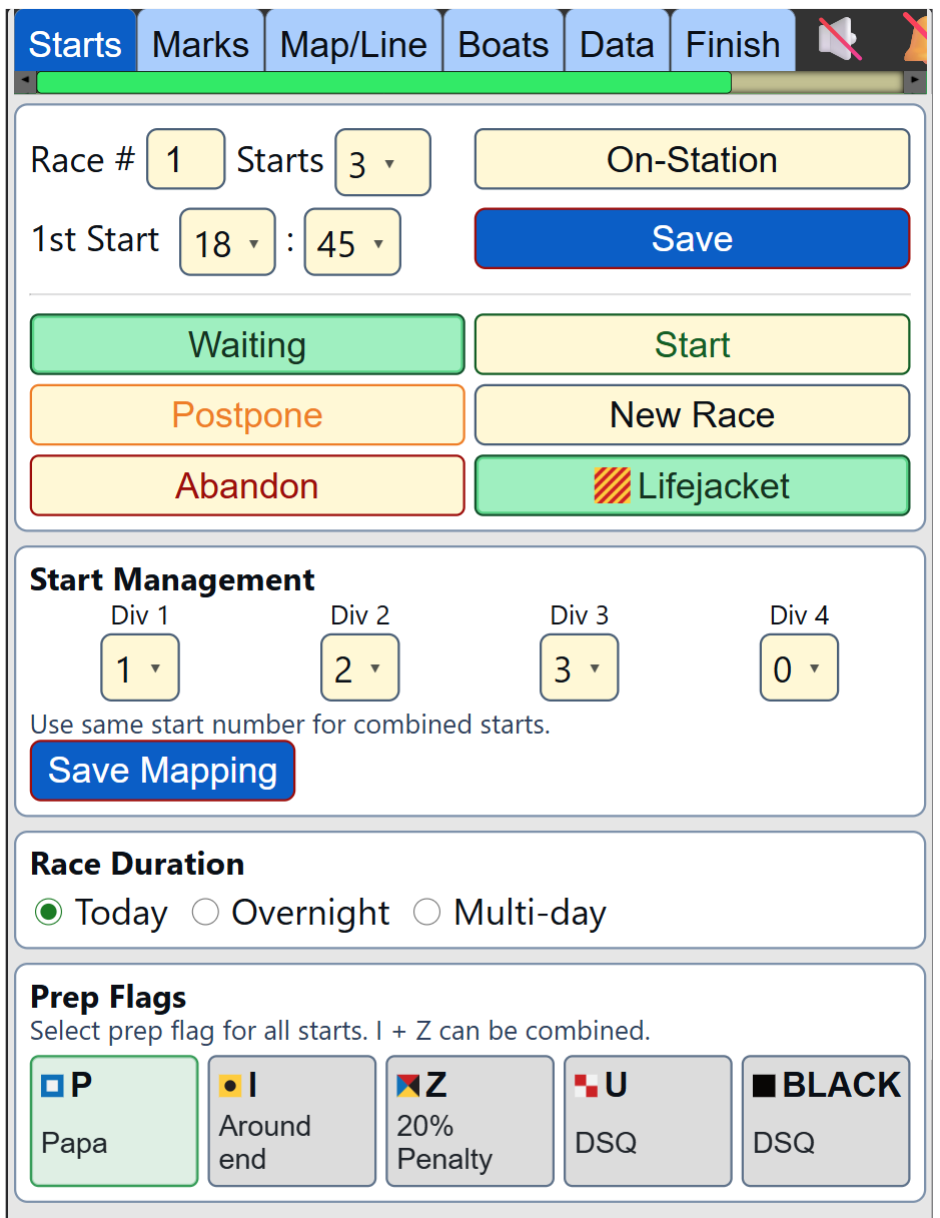
Race setup row
- Race # field — current race number.
- Starts field — number of starts in this race.
- On-Station — toggles on-station state; reflected in timing/flag behavior.
First start row
- 1st Start HH:MM fields — first start time (actual class flag down time) for sequence generation - subsequent starts have a 1-minute gap.
- Save — saves race/setup values.
Status buttons

- Waiting — set race to waiting.
- Start — start/continue race timing logic.
- Postpone — enter postpone mode.
- New Race — creates/rolls to next race context.
- Abandon — opens abandonment signal choice.
- Lifejacket — toggles Y flag/lifejacket requirement state.
Start Management
- Division→Start mapping table — maps divisions to start numbers; supports combined starts.
- Save Mapping — persists start mapping.
Race Duration
- Today — race(s) occur today only.
- Overnight — race extends into tomorrow.
- Multi-day — race(s) will occur over multiple days.
Be sure to Save after making changes to race duration.
Prep Flags
- Prep options — selects prep flag set (P, I, Z, U, Black; valid combinations supported).
Tab: Races
- Series list — shows available race series. Selecting one loads defaults into Starts. Only visible if more than one series scheduled for the day.
Tab: Marks
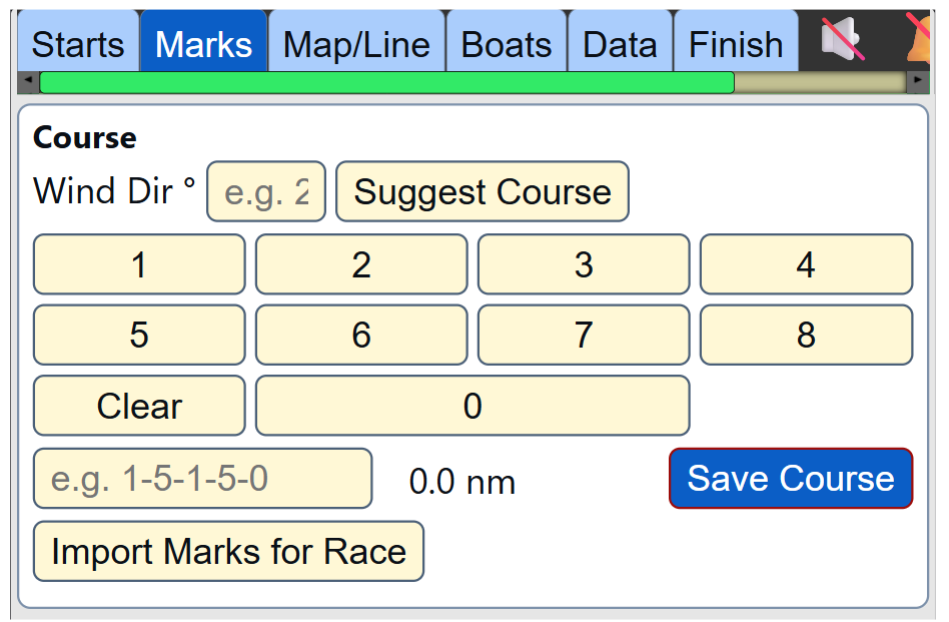
- Wind Dir field — enter current direction; used for other calculations.
- Suggest Course — generates a suggested course.
- Suggestion output panel — displays suggestion details - click to select a course.
- Course buttons — quick mark/course composition controls.
- Course input field — manual course entry.
- Distance readout — calculated course distance (nm).
- Save Course — saves current course to race state.
- Import Marks for Race — use a CSV file to set marks for the day; fields required are "mark,name,lat,lon".
Tab: Map/Line
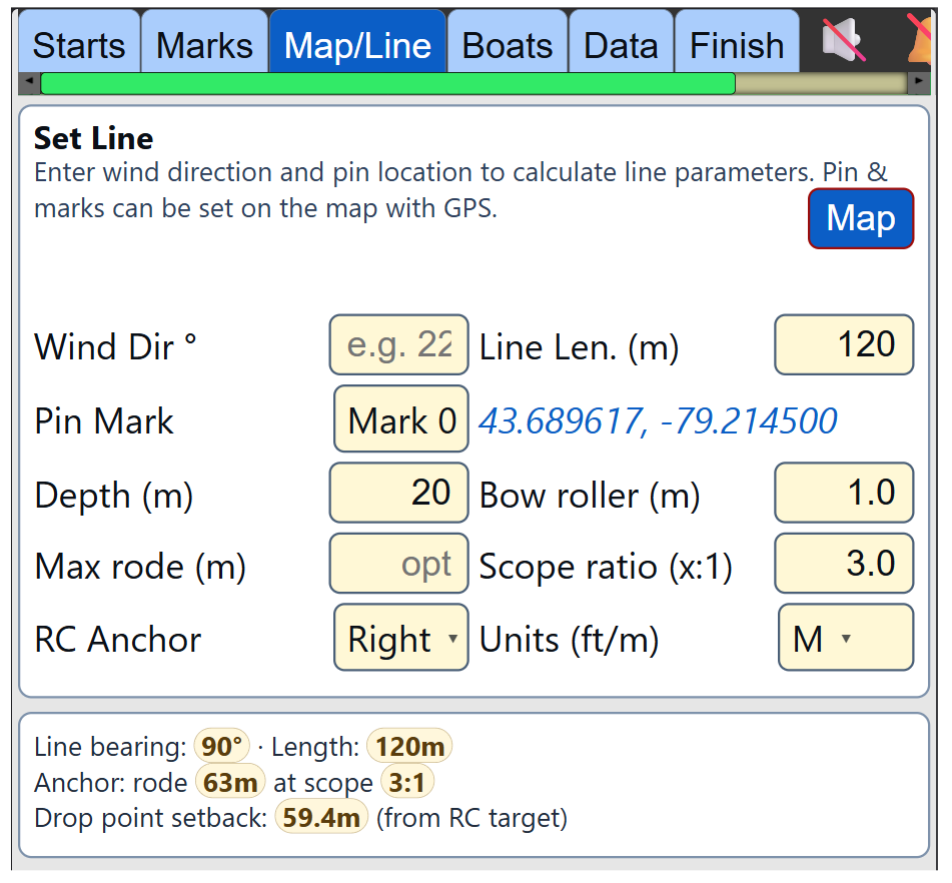
Inputs for Start Line calculations
- Map — opens map mode.
- Wind Direction (°) field
- Line Length field — start line length.
- Pin Mark selector — choose the fixed mark to use for start line (default Mark 0).
- Water Depth field — depth in the area for anchoring.
- Bow Roller Height field — height above water.
- Maximum Rode field — have a short anchor line?
- Scope Ratio field — if you have lots of rode, what scope do you want.
- RC Anchor Side selector — is RC boat right or left of the start pin.
- Units selector — choose meters or feet.
These values calculate RC start line geometry and anchoring guidance for a square line.
Map/metrics area
- Computed metrics panel — displays line setup calculations.
- Map status text — guidance/warnings for line setup.
- Map controls
- 📍 — use current GPS fix to set position of a mark (choose from Mark list).
- Reset — reset map transform, or clear manually set marks.
- GPS — turn GPS On/Off.
- BG — turn map images On/Off.
- Centre — recenter on RC boat location.
Tab: Boats
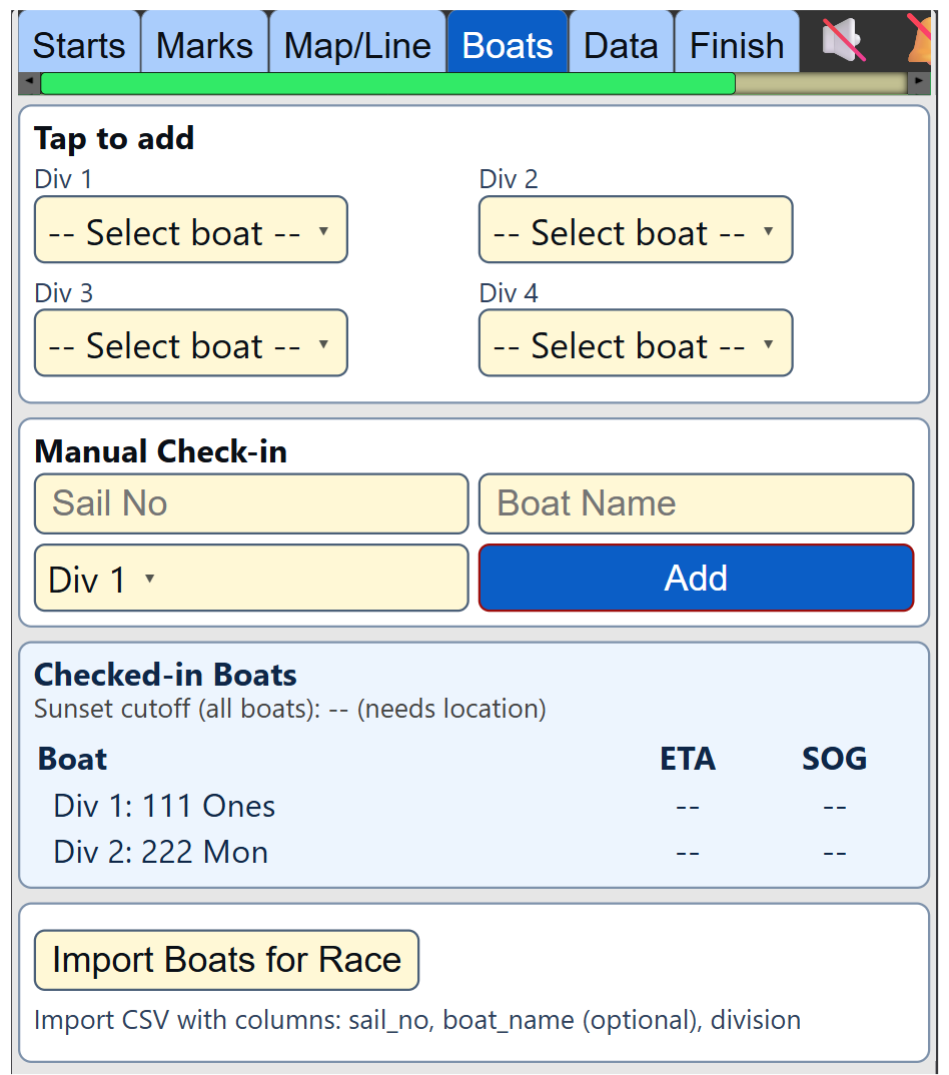
- Tap to add panel — known boats grouped by division; quick add to check-in.
- Manual Check-in — sail number field, boat name field, division dropdown, and Add button.
- Checked-in Boats list — live list/table of checked-in racers, ETA/SOG context and finish status.
- Import Boats for Race — import a CSV file of boats for the day; boats are automatically checked-in.
Tab: Data
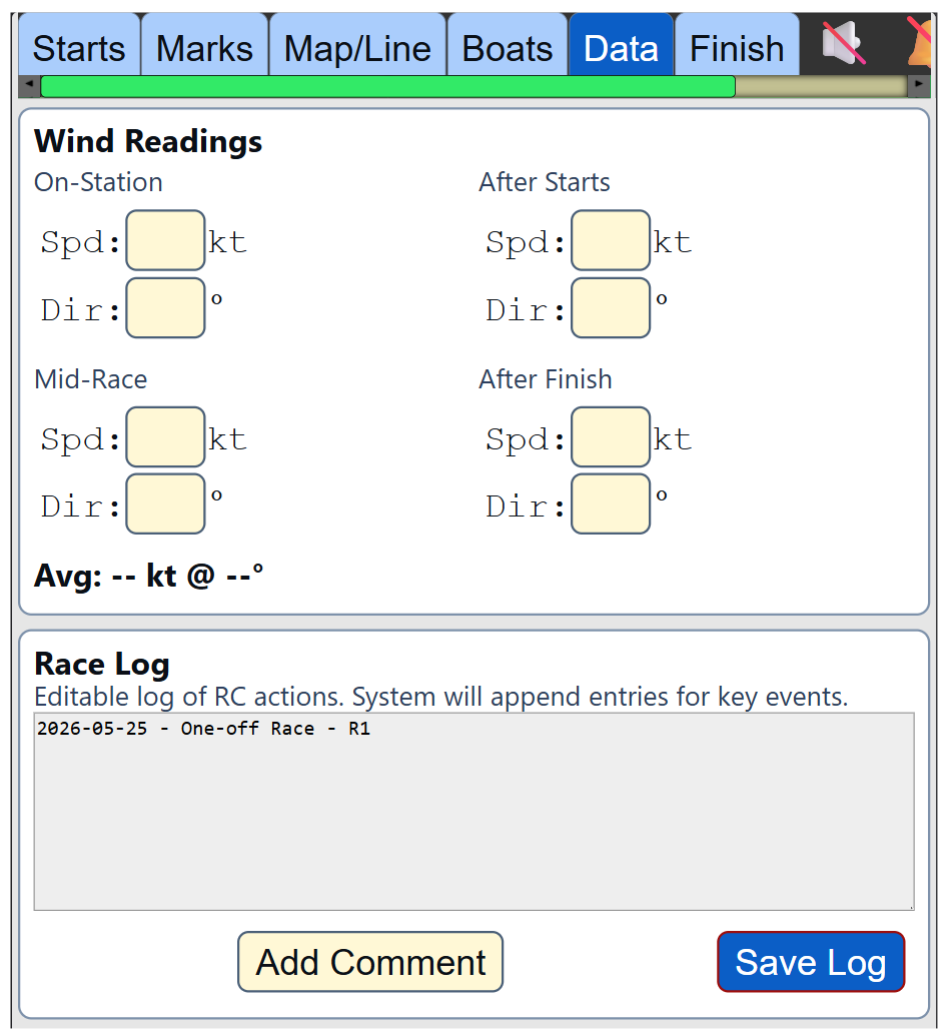
Wind readings
Each block has speed (kt) and direction (°):
- On-Station Wind
- After Starts Wind
- Mid-Race Wind
- After Finish Wind
Calculated: Average Wind Speed and Direction.
Race Log
- Race Log editor — editable event log.
- Add Comment — tap to add timestamp in editor for your custom comment.
- Save Log
- Log status message — was log saved successfully
Tab: Finish
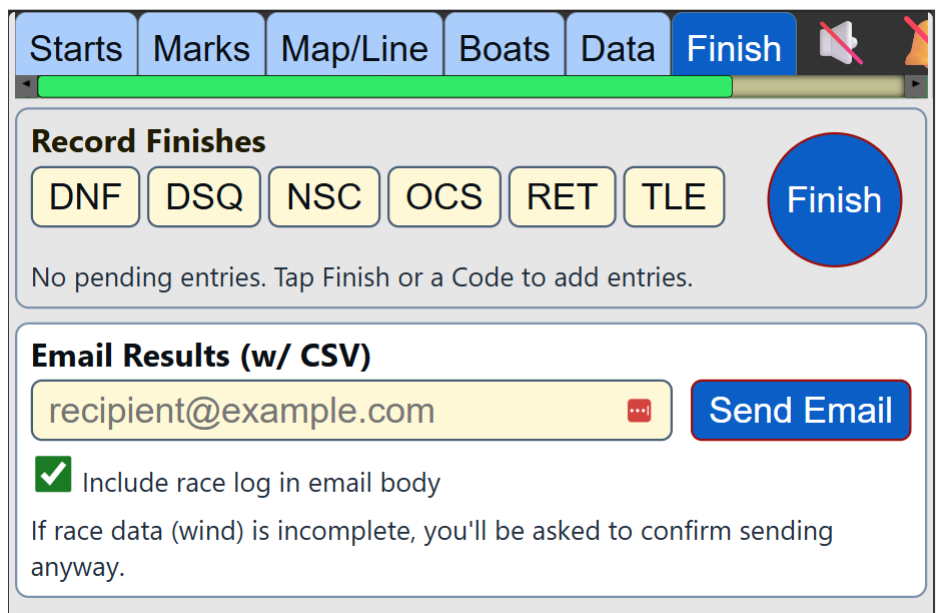
- Record Finishes — finishing controls/list for racer finish codes/times. Tap the Finish button each time a boat crosses the line to record finish time. Choose from the boat list to assign to the finish time. Also choose from codes like DNF, RET, OCS, etc.
- Email Results — recipient field, Send Email button, include-log checkbox, and saved recipients list. Race data is sent in a CSV file appropriate for import into Sailwave.
RC Modals and Popups
- Set GPS Mark popup — assign current GPS location to a mark (choose from Marks list).
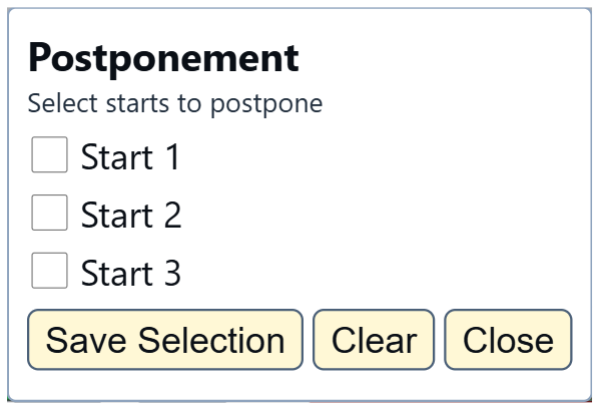
- Postponement popup — select postponed starts, save/clear selection. If the current start is allowed to continue, but the next starts are postponed, after the class flag is down a 1-minute countdown to AP up begins.
- General Recall popup — choose recall handling mode and prep flag for recalled start.

- Confirm popup — generic confirm/cancel prompt for changes to timer state.
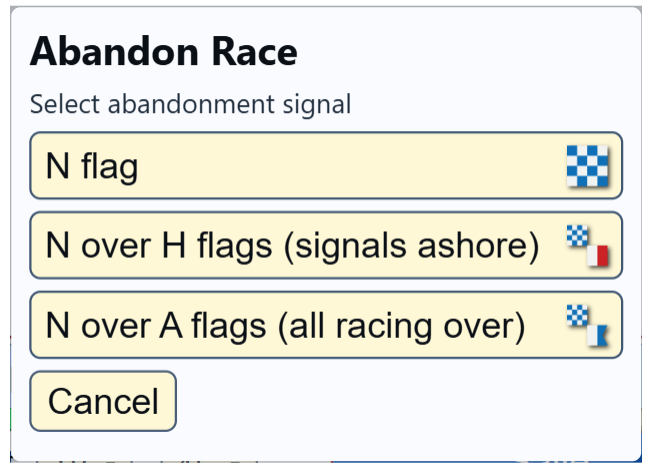
- Abandon Race popup — select the abandonment signal.
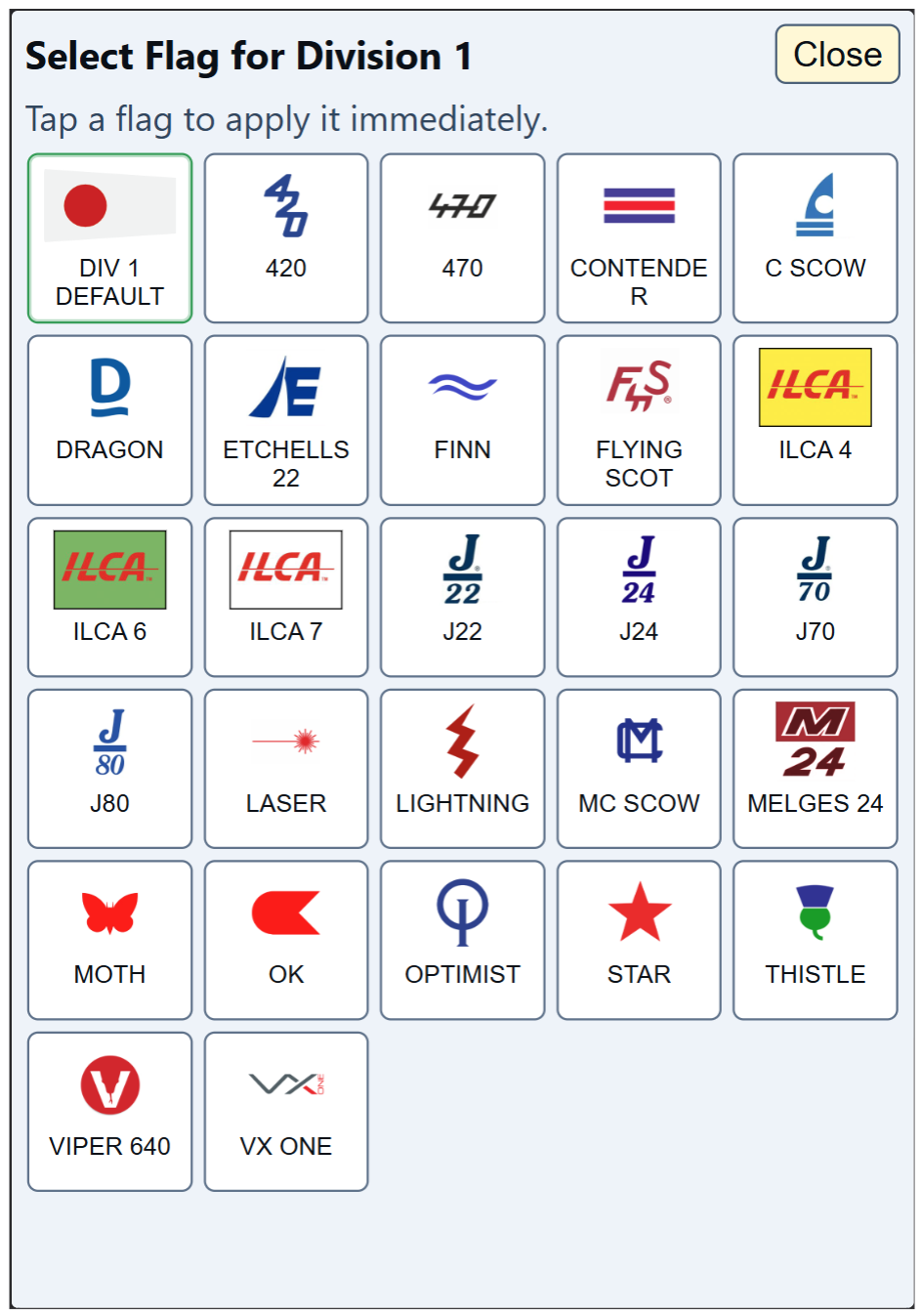
- Fleet Flag popup — select class flag type. Tap on the division flag in the Badge area to change the class flag for the start.
RC Configuration Page
General
- Max. Divisions — what is the largest number of divisions you are likely to have in a start sequence.
Race Series Presets
Enter, or import from a CSV file, the details for a series of races. These details will populate the timer when there is a date match. Multiple series can be scheduled for the same day, starting with the series with the earliest start time. The Races tab becomes visible to allow switching the presets on screen.
- Name — series name.
- Start Date — first date the series occurs on.
- Repeat — set the frequency of race dates; "daily,weekly,biweekly" (uses the day of the week of the start date to repeat from).
- End Date — last date of the series.
- # Races — what is the maximum number of races to occur.
- Divisions — number of divisions/classes racing.
- Flags — default flags are number flags 0-9 (0 is for division 10). Specific class flags can be selected for each division for one-design. Missing class flags can be uploaded for use.
- Boats — Import a CSV file with registered boat info; fields required are "series_name(optional), sail_no, boat_name(optional), division_or_class(numbered sequencially)".
- # Starts — how many starts to run, and which division is in what start (default is the division/class number; in the CSV file use "division_starts" field to assign starts in an array with the number of divisions - e.g. "[1,2,3,3]": Div 1 in start 1, Div 2 in start 2, Div 3 in start 3 and Div 4 in start 3; "[1,1,1]": Divs 1,2 & 3 in start 1).
- 1st Start — 24 hour time for first start (class down time - warning flag is 5 minutes earlier).
- Results Email — who to send the finish results to (optional, and can be manually entered on the day).
- + Series Row — manually enter the details for a new series.
- Import Series CSV — import the details for a new series, or all the series for the year.
- Download Series Template — download an example CSV file to enter your series details for import (each row is a different series).
- Download Boats Template — download an example CSV file to enter your registered boats details for import.
- Save Series — be sure to save after any changes, including imports!
Racing Marks
Enter, or import from a CSV file, the details for fixed marks your club uses.
- Mark — number for the mark (0 is used as the default start pin number).
- Name — can be more descriptive (shorter is better).
- Latitude — in decimal degrees.
- Longitude — in decimal degrees.
- + Add Mark — manually enter the details for a new mark.
- Import Marks CSV — import the details for all marks.
- Download Marks Template — download an example CSV file to enter your mark details for import.
Boat List
View what boats have been imported for your series. If other boats log in on a non-series day, they are listed as "Known Boats". Values are editable.
- Series — registered series (or "Known Boat" if not part of a series).
- Sail # — you know.
- Boat Name — if applicable.
- Division — numerical; matches the order of divisions/classes from the Series.
Notes
- Some controls are state-dependent (disabled/hidden based on race status).
- License tier and offline mode can alter available actions.
- RC configuration data from the Race Configuration screen feeds multiple RC tabs.